

Spotting AI-Generated Images and Deepfake Videos: A Canadian Guide
Last winter, a photo landed in our team chat showing what looked like a flooded downtown street in British Columbia, complete with submerged cars and a timestamp from that same afternoon. It had thousands of shares and an urgent caption telling people to evacuate. We almost forwarded it ourselves before one of us noticed the street signs were gibberish and the reflections in the water didn’t match the sky. A quick reverse image search confirmed it was fabricated. That near-miss taught us something important: in 2024, spotting fake media isn’t a niche tech skill — it’s basic self-defence for anyone with a phone. This guide walks through how AI-generated images and deepfake videos work, how to catch them, and which Canadian resources can help you verify before you share.
Why AI-Generated Media Is a Growing Threat in Canada
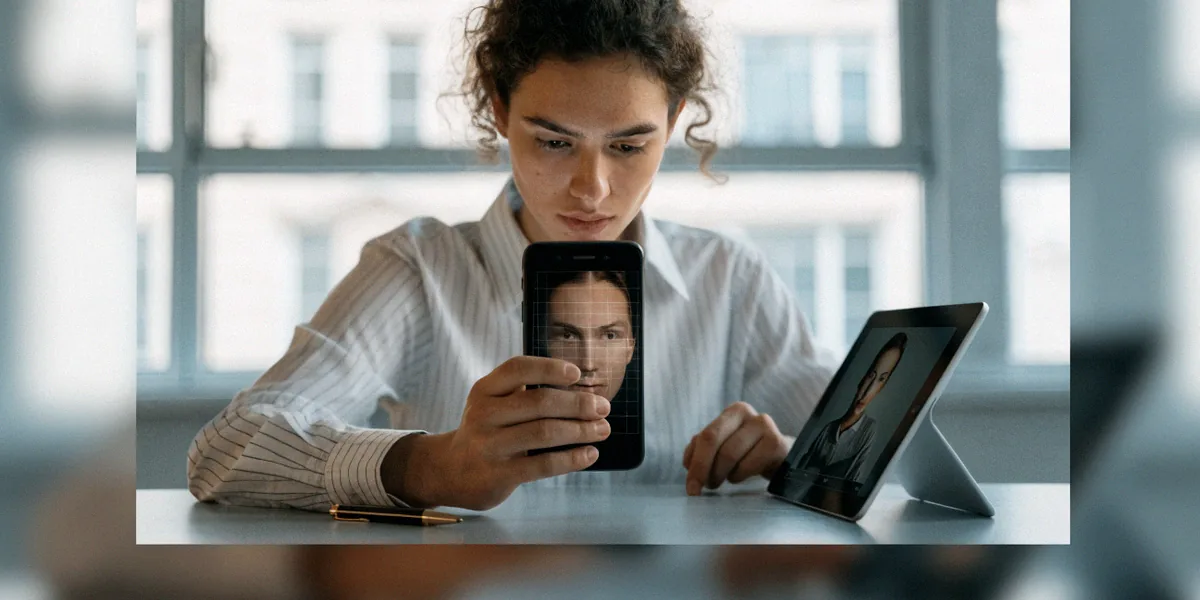
Generative AI has moved from research labs to free consumer apps in just a few years. That speed has outpaced our collective ability to tell real from fake, and bad actors — from scam artists to foreign influence operations — have noticed. The Canadian Anti-Fraud Centre has repeatedly warned that fraudsters now use AI-generated content to lend false credibility to investment schemes, romance scams, and fake emergency appeals.
The Rapid Evolution of AI Tools
Tools like DALL-E, Midjourney, and Stable Diffusion can produce photorealistic images from a single sentence of text. On the video side, deepfake software that once required a studio full of GPUs now runs on a laptop. Voice-cloning tools can replicate a person’s speech from a few seconds of audio. The result is a flood of synthetic media that looks convincing at a glance — especially on a small phone screen where compression hides the flaws.
How Misinformation Spreads Online in Canada
Misinformation travels fastest during moments of high emotion: elections, wildfires, floods, and public health emergencies. During recent Canadian election cycles, fabricated images purporting to show politicians in compromising situations circulated widely on social platforms before fact-checkers could respond. The same pattern appears during natural disasters, when fake evacuation photos and bogus fundraising appeals prey on people’s instinct to help. Every share adds legitimacy, which is why slowing down matters more than ever.
Visual Clues: How to Spot AI-Generated Images
No single clue is definitive, but AI images tend to fail in predictable ways. Train your eye to scan for a cluster of small errors rather than one obvious tell.
Check the Hands, Eyes, and Hair
Hands remain the classic giveaway. Count the fingers, check the knuckles, and look at how fingers wrap around objects. Eyes are another weak spot — pupils may be mismatched, reflections may differ between the left and right eye, or the iris may look painted rather than photographed. Hair often melts into skin or clothing, and strands may disappear mid-frame.
Look for Inconsistent Lighting and Shadows
Real photographs obey physics. In AI images, shadows may fall in conflicting directions, highlights may appear on the wrong side of a face, or a subject may be lit differently from the background. Ask yourself where the light source is and whether every element in the frame agrees.
Examine Background Details and Text
Zoom into the background. Signs, license plates, and storefront lettering are frequent failure points — AI models often produce garbled or nonsensical characters. Architecture may be subtly impossible, with staircases that lead nowhere or windows that don’t align. During Canadian disasters and elections, these background errors have exposed some of the most widely shared fake images.
Deepfake Videos: Detection Techniques That Work
Video is harder to fake convincingly than a still image, because movement exposes inconsistencies that a single frame can hide. Still, the best deepfakes are good enough to fool a casual viewer, so you need a repeatable process.
Watch for Lip-Sync and Blinking Anomalies
Watch the mouth closely. Do the lips match the sounds, especially on plosive consonants like “p” and “b”? Early deepfakes also blink too rarely or too mechanically, though newer models have improved here. Pay attention to the boundary between face and hairline, where blending artifacts often appear.
Analyze Audio and Visual Consistency
Listen for audio that doesn’t match the room — a voice that sounds studio-clean in a noisy street scene is suspicious. Check whether the speaker’s head movements, breathing, and emotional expressions align with the words. Skin tones may look waxy or unusually smooth, and teeth may blur or flicker between frames.
Use Reverse Image and Video Search Tools
Free tools can do a lot of the heavy lifting. Try a reverse image search on a key frame, and run suspicious clips through Deepware Scanner, which analyses video for deepfake signatures. Microsoft Video Authenticator examines subtle pixel-level artifacts invisible to the human eye. Neither tool is perfect, but together they give you a second opinion before you react.
Fact-Checking Tools and Habits for Canadians
Technology helps, but habits matter more. The single most effective change you can make is to stop consuming a claim in isolation and start reading laterally across sources.
Lateral Reading: The Fact-Checker’s Secret
Professional fact-checkers don’t scrutinize a suspicious post for ten minutes. They open new tabs and investigate the source itself. Ask: Who posted this? What else have they shared? Do reputable outlets report the same thing? If a shocking claim appears nowhere except one account, that silence is itself evidence.
Canadian Resources You Can Trust
Several organisations exist specifically to help Canadians verify information:
- Canadian Anti-Fraud Centre — the official federal resource for reporting and learning about scams, including AI-driven fraud.
- MediaSmarts — Canada’s centre for digital and media literacy, with practical guides for families and educators.
- Snopes — a long-running international fact-checking site with strong coverage of viral hoaxes.
- Google Fact Check Explorer — a searchable database of fact-checks published by verified organisations worldwide.
Bookmark these. When something feels off, checking two or three of them takes less than a minute.
What to Do When You Spot a Deepfake or AI Image
Recognition is only half the job. What you do next determines whether the fake keeps spreading.
Report and Verify Before Sharing
Do not share the content — not even to debunk it, since shares amplify reach regardless of intent. Report the post to the platform using its misinformation or impersonation reporting tools. If you’re in a group chat, reply with a link to a credible fact-check so others see the correction. Then verify with a reverse image search or one of the tools above before you say anything publicly.
Protect Yourself from Online Scams in Canada
If the fake content is tied to a scam — a fake investment, a bogus charity, or someone impersonating a family member — report it to the Canadian Anti-Fraud Centre. They track patterns and warn the public. Warn the people around you, especially older relatives who are frequently targeted. Never send money, gift cards, or crypto based on a video or voice message alone, no matter how convincing it sounds.
FAQ
Can I trust AI detection tools completely?
No. Every detection tool produces false positives and false negatives, and AI generators improve constantly. Treat these tools as one input among several, alongside lateral reading, reverse image search, and checking trusted sources like MediaSmarts or the Canadian Anti-Fraud Centre.
What’s the fastest way to check a suspicious image?
Run a reverse image search first. If the image appears in older, unrelated contexts, it’s likely recycled or fabricated. Then check whether any reputable outlet has covered the same claim. If nothing turns up, treat it as unverified.
Are deepfake scams common in Canada?
Yes, and they’re increasing. The Canadian Anti-Fraud Centre has reported growing use of AI-generated voice and video in impersonation scams, particularly those targeting seniors and small businesses. Reporting incidents helps authorities track and disrupt these operations.
What should I do if a deepfake targets me personally?
Document everything with screenshots, report the content to the platform, and contact local police if it involves harassment or extortion. You can also file a report with the Canadian Anti-Fraud Centre if money or identity theft is involved.
How can I build better media literacy habits?
Start with MediaSmarts’ free resources, practice lateral reading daily, and follow at least two reputable fact-checking outlets. Small habits — pausing before sharing, checking the source, and reading past the headline — prevent most misinformation from spreading.
Media literacy isn’t a solo project — it’s a shared responsibility. Every Canadian who pauses, verifies, and declines to share a fake makes the whole information ecosystem a little healthier. Stay skeptical, use the tools and resources above, and when in doubt, report it to the Canadian Anti-Fraud Centre rather than passing it along.